Route profiles
A route profile is the cross-section recipe for a waveguide: which layers to stamp, what width each is, where periodic features (gratings, periodic claddings, slot rails, electrical stitching) sit. Once a profile exists, you stop thinking about per-stroke geometry and just point at the profile.
Using a profile
The demo PDK ships several ready-made profiles in pdk.RP. Attach one to a port and every Route from that port adopts it:
"""Route profiles — cross-section recipes for waveguides.

A route profile bundles everything that varies along a route: layers,
strokes, widths, periodic teeth (gratings, tapers, periodic claddings).
Attach one to a port and every Route from that port adopts it.
"""
import lumicron as lm
import lumicron.pdks.elyon_demo.all as pdk


@lm.pcell
def ProfileDemo():
    c = lm.CELL("ProfileDemo")

    # The PDK ships ready-made profiles in `pdk.RP`. Here we route with
    # the silicon-nitride strip — the profile stamps SiLN at the right
    # width and inherits its bend radius.
    c.add(lm.PORT(
        "in", position=(0, 0), direction=0,
        route_profile=pdk.RP.siln_strip,
    ))
    c.add(lm.PORT(
        "out", position=(500, 200), direction=180,
        route_profile=pdk.RP.siln_strip,
    ))

    c.Route(c.ports["in"], radius=15).to(c.ports["out"])
    return c


if __name__ == "__main__":
    ProfileDemo().to_gds("profile_demo.gds")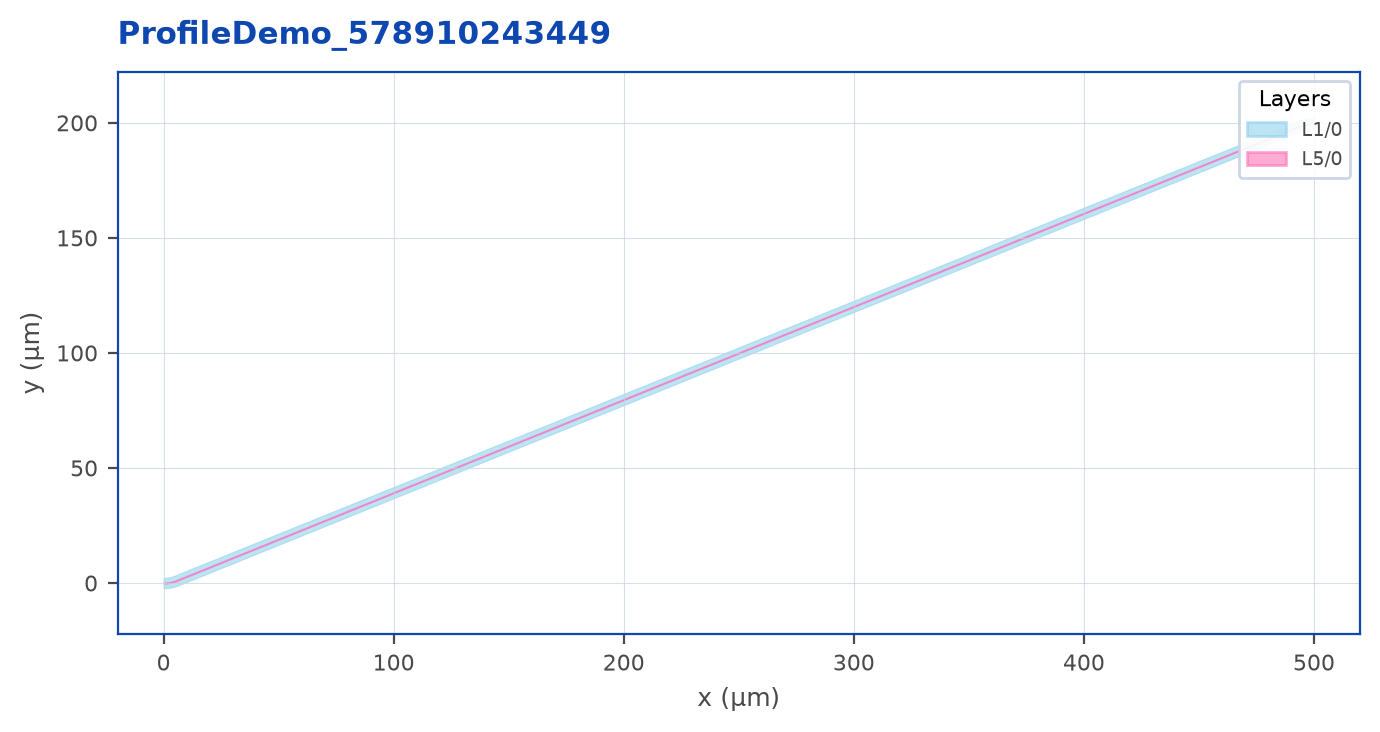
Three things happen automatically:
- The route is stamped on the profile’s primary layer (here, SiLN) at the profile’s width.
- The bend radius defaults to the profile’s
radiusif you don’t passradius=on theRoute(...)call. - Any sibling strokes the profile defines (claddings, slot rails) are emitted as parallel FlexRoutes alongside the primary.
Tip
PDK components publish ports with a route_profile already attached. So chip.Route(coupler.ports["o1"], modulator.ports["i1"]) - no kwargs at all - does the right thing on a real PDK. This is why we recommend assigning profiles in the PDK rather than at the call site.
What a profile contains
A profile is built from two kinds of strokes:
- Layer strokes: continuous parallel bands at fixed widths and offsets. Used for the core, claddings, exclusion zones, slot-mode rails.
- Tooth strokes: periodic PCells laid along the route. Used for grating teeth, periodic deep-etch features, periodic electrical contacts, photonic-crystal slabs.
Together they let one profile describe geometry as exotic as “core + cladding + exclusion + grating teeth every 0.32 µm” in a single Route() call.
When to override at the call site
Two override knobs on Route(...):
profile=...overrides any port-attached profile for this one route.radius=...overrides the layout radius. Width changes use the chain’s.width(...)or.style(width=...)methods;widthis not aRouteconstructor argument.
# Use an explicit layout radius compatible with the PDK curvature rule.
chip.Route(a, b, radius=15)

# Pin a different profile for this one route.
chip.Route(a, b, profile=pdk.RP.silc_rib)
For section-level overrides inside a single Route, see .style(profile=...) in the previous chapter.
Auto layer transitions
When port_a.layer != port_b.layer, the router consults a transition registry. If the layer pair has a registered transition PCell (e.g. a PhotonicElevator for SiLC-to-SiLN), the router inserts it automatically and continues on the new layer.
"""Auto layer transitions — cross-layer routes, no manual PCells.

When port_a is on one layer and port_b is on another, the router checks
the registered TransitionRegistry. If a transition PCell exists for the
pair (e.g. `PhotonicElevator` for SiLC ↔ SiLN), the router drops it in
automatically and continues on the new layer.

`transition_offset` controls where along the route the transition sits.
"""
import lumicron as lm
import lumicron.pdks.elyon_demo.all as pdk


@lm.pcell
def LayerTransition():
    c = lm.CELL("LayerTransition")

    # Input on silicon, output on nitride.
    c.add(lm.PORT(
        "in", position=(0, 0), direction=0,
        route_profile=pdk.RP.silc_strip,
    ))
    c.add(lm.PORT(
        "out", position=(600, 0), direction=180,
        route_profile=pdk.RP.siln_strip,
    ))

    # The router consults pdk's default transition registry for the
    # SiLC → SiLN pair and inserts the elevator at offset=300 µm.
    c.Route(c.ports["in"], transition_offset=300).to(c.ports["out"])
    return c


if __name__ == "__main__":
    LayerTransition().to_gds("layer_transition.gds")
transition_offset=300 places the transition PCell 300 µm in from port_a. PDK imports populate the default transition registry, so this works with no extra setup. To override, pass transitions= with a custom TransitionRegistry.
Note
Section-level transitions (.style(profile=...) mid-chain) trigger the same registry. Whether you change layer at the start, in the middle, or at the end of a route, the same transition PCell drops in.
Where profiles come from
Every profile in this guide is built into the elyon_demo PDK. To define your own - including custom strokes, periodic teeth, and slot-mode rails - see the PDK Authoring Guide, which has a dedicated chapter on the @route_profile builder.
For now, treat profiles as a black box: pick one from your PDK’s RP namespace, assign it to ports, and routes will inherit it.